Download the Tern for Travelers Mobile App for easy access!
Details
To easily access your trip at any time, I'd recommend you download the Tern for Travelers mobile app. Once you open your trip in the app, the trip details will stay on your phone even if you don't have internet access, like when you're in the air or trying to save data.
Within the app you will be able to view/authorize payments, request changes, and easily access your trip details/documents!
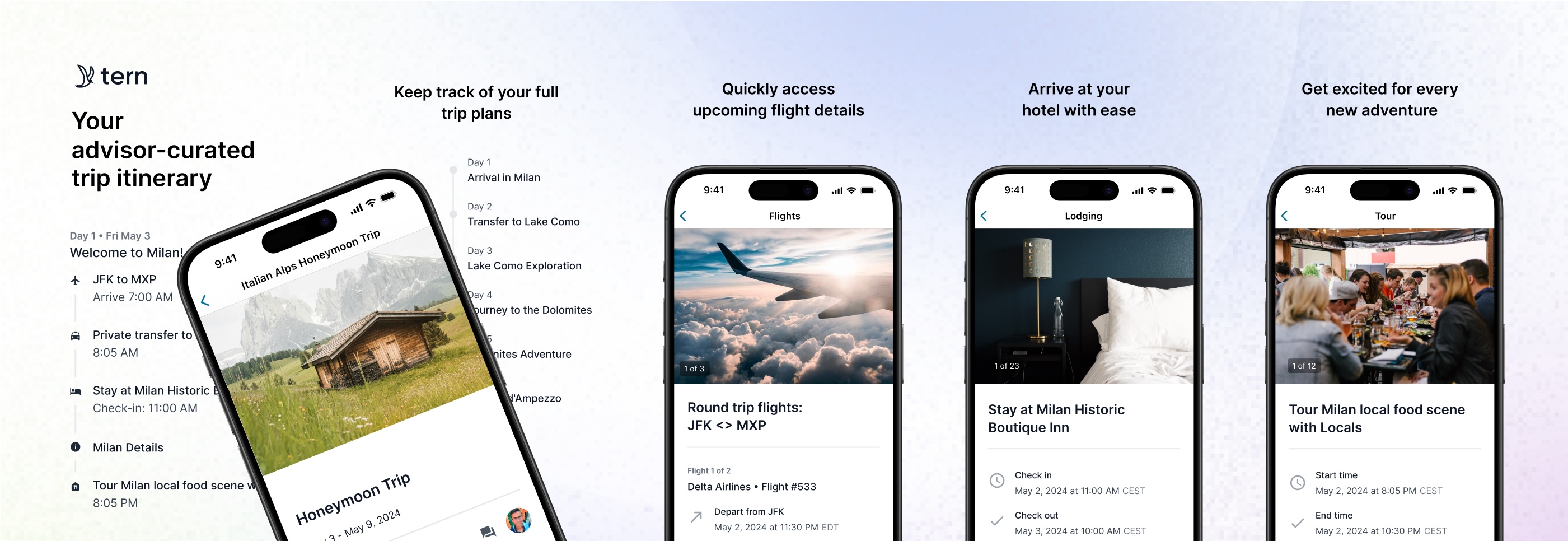
Follow these simple steps to download the app:
- iOS Users: Follow this link or search for "Tern for Travelers" in the App Store to "Download" and install the app.
- Android Users: Follow this link or search for "Tern for Travelers" in the Google Play Store to "Download" and install the app.
If you run into any issues logging in or accessing your trip, let me know! I definitely want to make sure you're all set before your departure. It is important to use the same email address you've been using to communicate with your travel advisor, or you will not be able to login.
Note: Make sure you log in and open your trip while you still have internet access. Otherwise you won't be able to access your trip without internet access.